

Xero vs QuickBooks Online vs SageOne for South African SMEs
Executive Summary
- SageOne is the preferred choice for South African SMEs needing built-in payroll and SARS compliance. Xero and QuickBooks Online suit businesses focused on international invoicing and deep reporting, respectively. Managed accounting services like Readyaccounting help ensure correct setup and ongoing compliance for all platforms.
For most South African SMEs, SageOne (Sage Business Cloud Accounting) is the strongest all-round choice because it has built-in PAYE/EMP501 payroll, native SARS eFiling compatibility, and deep local support. Xero suits growing digital-first businesses and agencies billing international clients. QuickBooks Online works well for founders who already have a bookkeeper familiar with the platform.
Three things that matter most in the SA context:
- SARS VAT201 readiness: All three platforms support VAT201 reporting, but correct submission still requires consistent VAT-code mapping and an accountant review before eFiling.
- Payroll fit: SageOne embeds South African payroll logic. Xero and QuickBooks Online typically need third-party add-ons for full PAYE/EMP501 compliance, which adds monthly cost and integration risk.
- Bank-feed reliability: ABSA, FNB, Nedbank, and Standard Bank are supported across all three, but real-world feed stability varies. Capitec and smaller banks are less consistent.
When to skip the DIY software route entirely: if your books are messy, you have a pending SARS audit, you need Annual Financial Statements, or you simply cannot afford to get payroll wrong, a managed accounting partner is the safer call. Cloud accounting is a tool, not a strategy.
Table of Contents
- How do Xero, QuickBooks Online, and SageOne compare for SA businesses?
- Which platform fits your business situation?
- Readyaccounting: managed accounting for SA SMEs who need it done right
- Key takeaways
How do Xero, QuickBooks Online, and SageOne compare for SA businesses?
| Dimension | Xero | QuickBooks Online | SageOne |
|---|---|---|---|
| Best for / ideal customer | Growing SMEs, agencies, international invoicing | Businesses with an existing bookkeeper; advanced reporting needs | SMEs needing built-in SA payroll and compliance depth |
| Pricing (ZAR) & extra costs | ~R380–R750/mo; payroll add-on extra | ~R399–R899/mo; payroll add-on extra | ~R250–R850/mo; payroll often included at higher tiers |
| VAT / SARS eFiling & VAT201 | Configurable; manual VAT-code setup required | Configurable; manual setup required | Built-in VAT review; SARS eFiling compatible out of the box |
| Bank feeds (ABSA, FNB, Nedbank, Standard Bank) | Reliable for major banks; verify Capitec before migrating | Reliable for major banks; EFT imports often manual | Reliable for major banks; verify Capitec before migrating |
| Payroll (PAYE / EMP501) | Third-party add-on required | Third-party add-on required | Built-in SA payroll logic; reduces add-on costs |
| Integrations & app marketplace | Largest open API ecosystem; many apps | Strong; most SA bookkeepers know it | Good SA-focused integrations; smaller global marketplace |
| Reporting & AFS export | Strong; multi-currency reporting | Deep reporting suite; job costing | Solid local reporting; AFS-ready exports |
| Onboarding / local partners | SAICA/SAIPA-aligned resellers available | Wide SA bookkeeper familiarity | Deep local support; strong SA reseller and accountant network |
| Security & data residency | Multi-factor authentication; cloud backups | Multi-factor authentication; cloud backups | Multi-factor authentication; cloud backups; POPIA-aware |

What the table does not show
Hidden costs catch SMEs off guard. Payroll add-ons for Xero and QuickBooks Online can add additional monthly costs depending on employee count. Extra user seats, third-party integrations, and implementation fees stack up fast.
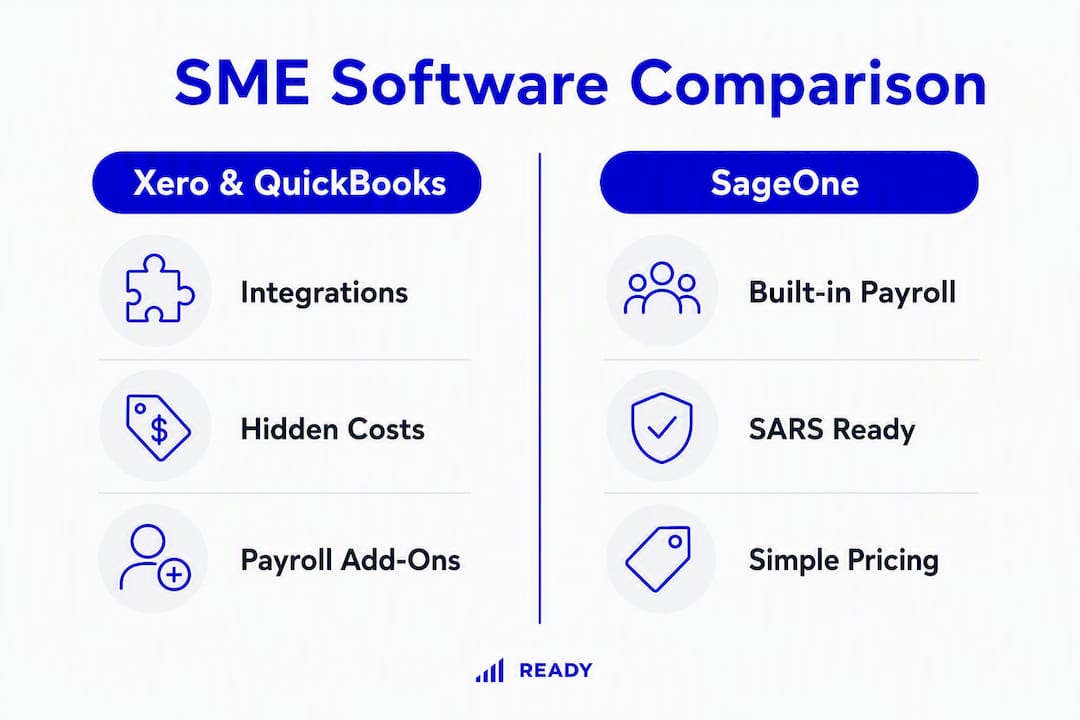
Bank-feed reliability is the most common onboarding complaint. Run a live feed test with your actual bank account before committing to any platform. A feed that drops mid-month creates reconciliation headaches that cost more to fix than the software saves.
Pro Tip: Read pricing tiers carefully. “Starting from R250/mo” often excludes payroll, multi-currency, and additional users. Get a total monthly cost estimate before signing up, not just the base plan price.
Implementation timelines for SA SMEs: a solo freelancer can be live in 1–2 weeks; a small service firm typically needs 2–4 weeks; a retail business with inventory or multiple entities should budget 4–8+ weeks, assuming chart-of-accounts mapping, bank-feed verification, and at least one payroll test cycle.
Which platform fits your business situation?
Cloud platforms advertise “SARS compliance” but most cover VAT201 exports only. CIPC filings, COID, B-BBEE documentation, and complex statutory tasks require specialist add-ons or a qualified partner. Keep that scope in mind as you read the scenarios below.
-
Early-stage startup (under 5 employees, no payroll yet): QuickBooks Online or Xero both work. Start a 30-day trial, connect your FNB or ABSA feed, and book a one-hour setup call with a SAIPA-registered accountant to map your chart of accounts correctly from day one. Getting onboarding right upfront saves significantly more time and money than fixing a messy migration later.
-
VC-backed scaleup (rapid headcount growth, investor reporting): Xero’s open API and multi-currency handling make it the natural fit. Budget for a managed migration and payroll setup with an SA-certified Xero partner. Add a payroll add-on from day one rather than retrofitting it at 20 employees.
-
Service firm or consultancy (5–20 employees, regular payroll): SageOne is the practical choice. Built-in PAYE/EMP501 reduces your monthly tool count and the VAT201 workflow is ready without manual configuration. Engage Readyaccounting or a SAICA-aligned partner for managed onboarding and ongoing SARS compliance.
-
Small retail with inventory: SageOne or QuickBooks Online, depending on your bookkeeper’s preference. Inventory tracking and job costing are stronger in QuickBooks Online. Expect a 4–6 week migration. Verify your bank feed and run a full payroll test cycle before going live.
-
Freelancer or sole trader: Any of the three works at the entry tier, but the automation benefits of cloud accounting are most valuable when you connect your bank feed and automate VAT invoice fields from the start. If your annual turnover is under the VAT registration threshold, the cheapest entry plan is fine.
Migration checklist before you go live
- Map your chart of accounts to SA standard categories before importing any historical data.
- Clean up historical transactions: unreconciled items and duplicate contacts cause downstream tax errors.
- Verify live bank-feed connections for ABSA, FNB, Nedbank, or Standard Bank with real transactions.
- Run a payroll test cycle and confirm EMP501 output matches your previous payroll records.
- Have a SAICA or SAIPA-registered accountant review your VAT-code mapping before your first VAT201 submission.
Readyaccounting: managed accounting for SA SMEs who need it done right
Choosing the right software is step one. Getting it set up correctly, keeping it compliant with SARS, and producing accurate Annual Financial Statements is where most SMEs hit a wall.
Readyaccounting handles the full stack: bookkeeping, payroll, VAT201 and EMP501 filing, Annual Financial Statements, and accounting automation with API bridging so your data flows without manual intervention. It is a managed service, not a software vendor. You keep using Xero, QuickBooks Online, or SageOne; Readyaccounting runs the compliance engine behind it.
The businesses that benefit most are those with messy books from a DIY period, founders who need a fractional CFO rather than a part-time bookkeeper, and scaleups that cannot afford a SARS penalty during a funding round. If you are ready to hire a qualified partner rather than manage software alone, contact Readyaccounting for a managed onboarding assessment.
This article is general information, not professional tax or legal advice. Confirm current SARS rules, VAT thresholds, and statutory requirements with a qualified accountant for your specific situation.
Key takeaways
For South African SMEs, SageOne leads on built-in payroll and SARS readiness, Xero leads on integrations and international invoicing, and QuickBooks Online suits businesses with existing bookkeeper relationships.
| Point | Details |
|---|---|
| SageOne for payroll-first SMEs | Built-in PAYE/EMP501 logic reduces add-on costs and integration risk for SA businesses. |
| Xero for growth and global billing | Strongest app ecosystem and multi-currency support; requires manual VAT-code configuration for SARS. |
| QuickBooks Online for reporting depth | Deep reporting and job costing; most SA bookkeepers know it, but payroll needs a third-party add-on. |
| Pricing ranges in ZAR | Xero ~R380–R750/mo, SageOne ~R250–R850/mo, QuickBooks ~R399–R899/mo before payroll add-ons. |
| Readyaccounting for managed compliance | Handles bookkeeping, VAT201, EMP501, and Annual Financial Statements across all three platforms. |