

Manager Playbook: Remote Team Communication for South African SMEs
Manager Playbook: Remote Team Communication for South African SMEs
Fix remote team communication by pairing regular video calls for rapport with asynchronous boards for status, then locking in simple channel rules so nobody guesses where to look. The DAV guidance for distributed teams and SAJIP’s research on remote leadership both point the same direction: define channel purpose, run tighter meetings, hold regular one on ones, and manage by outcomes rather than hours online. Readyaccounting sees this play out constantly with distributed finance teams. Get these five things right this month and most of your communication problems disappear.
Executive Summary
- Clearly define the purpose and response times for each communication channel to prevent confusion and ensure timely responses for non-urgent matters.
- Use video for emotionally sensitive topics like onboarding and performance reviews, while reserving asynchronous boards for status updates and quick clarifications.
- Standardize one tool per category, such as a single project board and chat platform, then regularly audit and eliminate redundant tools to reduce fatigue.
- Cut meetings in half by adopting structured agendas, assigning facilitators, and scheduling focus blocks to improve productivity and reduce unnecessary discussions.
- Focus on outcome-based management, documented decisions within an hour, and building trust through transparency and clear expectations instead of micromanaging activity.
Table of Contents
- Your remote team communication checklist for this week
- Choosing between synchronous and asynchronous channels
- Which tools to standardize, and how to stop tool fatigue
- How do you run fewer, better remote meetings?
- Structuring 1:1s and gathering feedback that actually gets acted on
- Building trust without micromanaging from a distance
- Handling time zones, load shedding, and patchy connections
- Methods for effective documentation and knowledge sharing
- Managing information overload and communication fatigue
- Strategies for inclusive communication across cultures
- Encouraging active participation in remote meetings
- What actually worked when we fixed a distributed finance team’s communication
- Get expert help managing your remote finance team’s communication
- Sources
Your remote team communication checklist for this week
Starts small, act fast. Here’s the order that gets results without overwhelming your team:
- Define channel purpose and response times. Decide what Slack, email, and your project board are each for, and set expectations like NNTR (no need to respond) or a 4HR reply window for anything non-urgent.
- Set meeting hygiene rules today. Every meeting gets a short agenda, a named outcome, and a timebox before it goes on the calendar.
- Lock in recurring one on ones. If they’re not already booked for the next month, book them now, along with a short monthly pulse survey.
- Switch to outcome-based goals. Replace daily check-ins or activity tracking with clear weekly deliverables, then judge the work by what got done.
None of this needs new software. It needs decisions, written down, that your team can actually see.
Choosing between synchronous and asynchronous channels
Video calls build the empathy and trust that chat messages can’t. HBR’s research on remote collaboration recommends switching anything emotionally sensitive, onboarding, performance reviews, difficult feedback, to video. Status updates, on the other hand, belong on an asynchronous board where people can post progress on their own schedule, which matters when load shedding or patchy fibre makes a live call unreliable.
A rough map that works for most SME teams:
- Onboarding and performance reviews → video, always.
- Daily and weekly status → async boards (Trello, Asana, ClickUp), never a meeting.
- Quick clarifications → chat, with an agreed response window.
- Anything unresolved after two chat replies → escalate to a five-minute call.
The trade-off is real: video gives you empathy, async gives you accessibility for people in different time zones or on shaky connections. Good managers use both instead of picking one.
Pro Tip: Post your channel rules (what goes where, and how fast you’ll reply) in a pinned message. Revisit them every quarter, because what worked with five people rarely survives at fifteen.
Which tools to standardize, and how to stop tool fatigue
Most remote teams don’t have a tools problem. They have too many tools solving the same problem badly. Pick one from each category and retire the rest:
- Video conferencing for meetings and rapport building.
- Chat for quick, time-sensitive questions.
- A project board as the single source of truth for task status.
- A shared docs tool with clear file naming and one named owner per document.
- A shared calendar that shows time zones automatically.
Sage’s guidance for South African managers (https://www.sage.com/en-za/blog/how-to-manage-remote-teams/) is blunt about this: tool overload creates friction and fatigue, and the goal is a toolset that improves visibility without demanding constant presence. If a tool exists purely to check that someone is “online,” it’s doing more harm than good.
Audit your stack every six months. Ask each team member which tool they’d delete if forced to choose one, then act on the pattern in the answers. A remote collaboration tools guide can help you map which categories you’re missing versus duplicating.
How do you run fewer, better remote meetings?
Cut your meeting count in half and most teams get more done, not less. The fix is procedural, not motivational:
- Pre-distribute a three-line agenda with the desired outcome stated up front, not buried in the invite.
- Assign a facilitator and a timekeeper before the call starts, not during it.
- Open with a quick personal check-in or “win of the week” to rebuild the small talk that offices give you for free.
- Rotate the facilitator role so quieter team members get a structured turn to lead, not just speak.
- Block “no meeting” focus windows on at least two days a week, and default recurring meetings to 25 or 50 minutes instead of a full hour.
Pro Tip: If an agenda item doesn’t have a decision to make or a decision to report, it belongs on the async board, not the call.
Structuring 1:1s and gathering feedback that actually gets acted on
Weekly or biweekly, 25 to 30 minutes, same time every cycle. That’s the cadence. The agenda should cover four things every time: wins since last time, priorities for the coming week, blockers, and one development topic.
- Never let a 1:1 turn into a status update. That belongs on the async board.
- Run a short monthly pulse survey and share what changed as a result, because employees judge feedback tools by whether anything follows.
- Keep at least one anonymous input channel open for issues people won’t raise face to face.
The Small Business Site’s guidance on distributed team culture backs this up: documented ways of working plus structured feedback loops do more for morale than any single perk. Pulse data tracked with visible follow-up items builds more credibility than a one-off survey ever will.
Building trust without micromanaging from a distance
Outcome-based management works better than activity tracking, especially where connectivity is unreliable. If a call drops or a laptop battery dies mid-shift, an employee shouldn’t have to prove they were “present.” DAV’s research on distributed South African teams makes this point directly: judging by deliverables removes the pressure to stay constantly visible online.
The SAJIP study on ethical tensions in remote monitoring is even sharper on the risk side.
Activity-tracking software that monitors keystrokes or screen time erodes trust faster than it builds accountability, and employees who feel watched disengage rather than perform better.
Practical moves that replace surveillance with trust: recognize wins publicly, ask for input before decisions land, state expectations clearly up front, and skip any tool that tracks minutes instead of milestones.
Handling time zones, load shedding, and patchy connections
Set two or three hours of guaranteed core overlap where everyone is reachable, and treat everything outside it as async by default. Mobile-friendly updates matter more than people admit: not everyone has stable fibre at home.
- Agree on a fallback for outages: phone dial-in, a recorded update, or a voice note if video isn’t possible.
- Document every decision made during a call, in writing, within the hour, so someone who missed it isn’t left guessing.
- Build a habit of posting slides or key points before a meeting starts, not during it.
Pro Tip: On shaky connections, disable HD video and switch to audio-only. It’s a small setting that saves a call from freezing halfway through a decision.
Methods for effective documentation and knowledge sharing
If a decision isn’t written down, it didn’t happen, at least not for anyone who wasn’t on the call. The fix is a shared “ways of working” document that covers tool purposes, availability windows, and communication norms, kept in one place everyone can find without asking.
Three habits make documentation stick. First, write decisions down within the hour, not the next day, while the reasoning is still fresh. Second, name an owner for every document so it doesn’t go stale six months after the project ends. Third, treat your project board as the single source of truth for status, so nobody has to dig through chat history to find out where something stands.
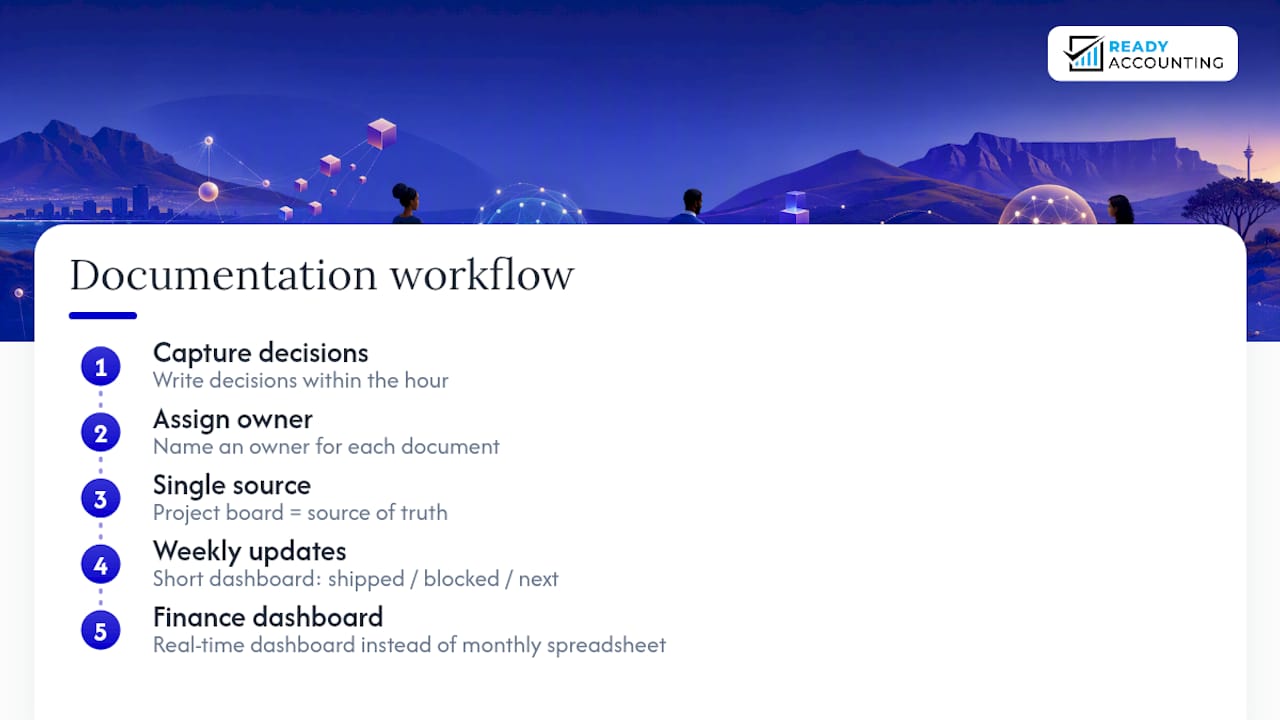
Weekly written updates work better than people expect. A short dashboard or newsletter summarizing what shipped, what’s blocked, and what’s next removes the need for half the “quick sync” calls that clutter a distributed team’s calendar. The Small Business Site’s culture guidance recommends exactly this kind of redundancy: information that’s easy to find beats information that’s only ever spoken once in a meeting someone missed.
For finance teams specifically, this matters even more. A shared dashboard showing real-time numbers instead of a monthly emailed spreadsheet cuts down the back-and-forth between bookkeepers, managers, and owners considerably.
Managing information overload and communication fatigue
More channels don’t mean more clarity. Past a certain point, they mean the opposite: people start missing things because they don’t know which app to check first.
The fix starts with reducing the number of channels doing the same job. If chat, email, and a project board all carry status updates, pick one and retire the others. Set explicit “no reply needed” markers (NNTR works well) so people don’t feel obligated to acknowledge every message. Batch notifications where possible so people aren’t pulled out of focus work every few minutes by a ping that could have waited.
Meeting-free blocks help more than most managers expect. Two focus days a week, protected on the calendar, give people room to actually finish the work the meetings were about. And weekly digests, one short summary instead of ten scattered updates, cut the mental tax of tracking multiple threads at once.
Watch for the quieter signs of fatigue too: slower replies, shorter answers, people going quiet in meetings they used to speak up in. A monthly pulse survey catches this before it becomes a resignation letter.
Strategies for inclusive communication across cultures
Distributed South African teams often span multiple home languages, time zones, and working styles, and communication norms need to account for that instead of assuming everyone reads tone the same way.
Write instructions and decisions in plain, direct language rather than idiom-heavy phrasing that doesn’t translate well. Give people time to respond in meetings rather than filling silence immediately, since some team members process and answer more slowly in a second language and get talked over if you rush. Rotate meeting times occasionally if your team spans multiple time zones, so the same people aren’t always the ones sacrificing an evening or an early morning.
An Ubuntu-inspired approach, leading with connection and care rather than pure output, tends to work well in culturally mixed teams because it prioritizes inclusion and psychological safety alongside deliverables. That doesn’t mean lowering the bar. It means checking in on people as people, not just as task owners, before jumping into the agenda.
Encouraging active participation in remote meetings
Silence on a call usually means disengagement, not agreement. A few structural fixes change that fast: ask direct questions to specific people instead of the group, rotate who leads or presents, and use quick polls or reactions to get input from people who won’t unmute.
Chat-based participation matters too. Some people contribute more honestly in the chat window than out loud, so read it during the call instead of only checking it afterward. Breaking a larger call into smaller breakout discussions for five minutes, then reporting back, gets far more voices heard than an open floor ever does.
The rotating facilitator habit mentioned earlier for meeting hygiene does double duty here: it forces quieter team members into a structured speaking role instead of leaving participation entirely voluntary.
What actually worked when we fixed a distributed finance team’s communication
The most common failure Readyaccounting sees isn’t a missing tool, it’s status updates disguised as meetings. One recurring fix: replace a daily “check-in” call with a written end-of-day checklist posted to a shared board. The meeting disappeared, the visibility didn’t.
Try this for two weeks: cancel one recurring status meeting and replace it with a five-line written update template. Track whether decisions actually slow down, most managers find they don’t.
Johan brings direct experience helping distributed South African finance teams fix the exact communication gaps described here.
— Johan
Get expert help managing your remote finance team’s communication
Good communication habits fix a lot, but they can’t fix a finance function still running on spreadsheets and end-of-month guesswork. If your distributed team is losing hours reconciling numbers instead of discussing them, that’s an infrastructure problem, not a communication one.
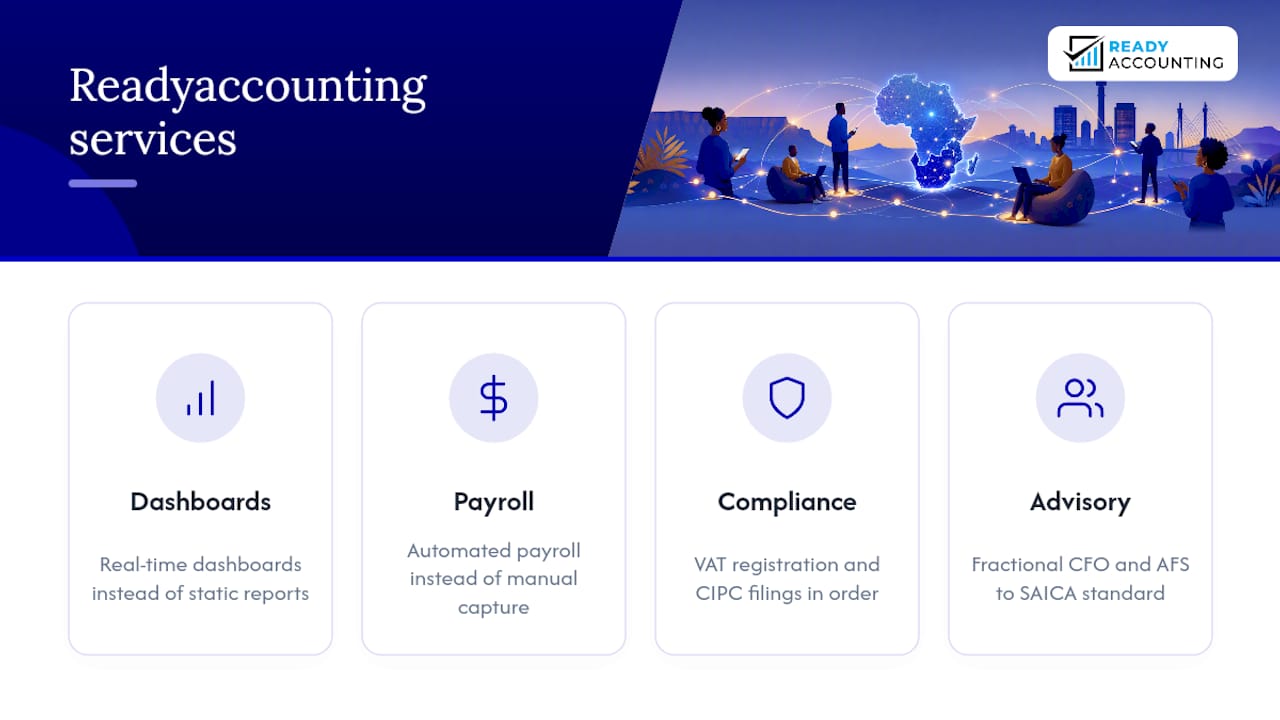
Readyaccounting builds the cloud accounting South Africa infrastructure that gives distributed teams one shared source of financial truth: real-time dashboards instead of static reports, automated payroll instead of manual capture, and SARS compliance handled properly instead of chased at deadline. Whether you need a tax accountant to keep VAT registration and CIPC filings in order, an Annual Financial Statement prepared to SAICA standard, or a fractional CFO to help your managers make sense of the numbers they’re now seeing in real time, that’s the accounting services Readyaccounting was built to deliver.
See how automation improves cash flow for distributed teams, then get in touch with Readyaccounting to talk through your specific setup. Better remote team communication tips get you halfway there. The right financial infrastructure gets you the rest of the way.
Sources
- Best practices for managing distributed teams in South Africa - DAV by Adcorp
- SA Journal of Industrial Psychology (2025) article on remote leadership
- How to collaborate effectively if your team is remote - HBR
- Managing remote teams: How to build a healthy and productive culture — The Small Business Site