

Execution Framework: save time using cloud accounting like Xero in 2026
Running a small business in South Africa means juggling countless responsibilities, and manual accounting often consumes hours you could spend growing your business. Repetitive data entry, invoice processing, and reconciliation drain your energy and delay critical financial decisions. Cloud accounting platforms like Xero transform these time-consuming tasks through automation, mobile access, and seamless integration with South African tax systems. This guide walks you through practical steps to reclaim your time using Xero’s powerful features, from initial setup to optimizing your workflow for maximum efficiency.
Table of Contents
- Understanding Your Time Challenges With Traditional Accounting
- Preparing To Save Time: What You Need To Start With Xero
- Executing Time-Saving Tasks With Xero
- Verifying Results And Optimising Your Xero Workflow
- Explore Cloud Accounting Solutions With Ready Accounting
- What Is Cloud-Based Accounting And How Does It Differ From Traditional Methods?
Key takeaways
| Point | Details |
|---|---|
| Automation reduces manual work | Bank feeds and OCR technology eliminate repetitive data entry and reconciliation tasks |
| Integrated tax management | Xero streamlines provisional tax calculations and SARS submissions directly within the platform |
| Mobile financial control | Manage invoices, approvals, and reports anywhere using smartphone or tablet access |
| Proven time savings | Case studies show businesses achieving up to 80% reduction in accounting task time |
Understanding your time challenges with traditional accounting
Small business owners often spend 10 to 20 hours weekly on bookkeeping tasks that generate zero revenue. Manual processes force you to enter the same transaction multiple times across different systems. You type invoice details, manually match bank statements, calculate tax obligations on spreadsheets, and chase paper receipts that disappear when you need them most.
These repetitive tasks create more problems than inefficiency. Human error creeps into manual data entry, leading to incorrect financial reports that misguide business decisions. Uploading receipts and invoices becomes a dreaded monthly chore rather than a quick daily routine. Tax filing without automation demands extensive manual calculations, form completion, and document gathering that consume entire days during submission periods.
The real cost extends beyond hours spent at your desk. Time trapped in accounting means missed opportunities to meet clients, develop products, or strategize growth. You delay critical decisions because financial reports lag weeks behind actual performance. Compliance risks increase when manual processes fail to capture every transaction or deadline.
Traditional accounting methods create specific bottlenecks:
- Invoice processing requires manual typing, printing, and physical filing systems
- Bank reconciliation demands line-by-line matching between statements and records
- Tax calculations involve spreadsheet formulas prone to errors and version confusion
- Receipt management relies on physical storage or scattered digital files
- Financial reporting requires manual data compilation from multiple sources
Exploring cloud accounting benefits reveals how modern platforms eliminate these pain points entirely. The shift from manual to automated processes isn’t just about speed. It transforms accounting from a backward-looking chore into a real-time business intelligence tool that guides better decisions faster.
Preparing to save time: What you need to start with Xero
Successful Xero implementation begins with gathering the right tools and information before diving into setup. Start by signing up for a Xero account appropriate for your business size and needs. You’ll need current bank statements, existing financial records, and access to your business banking portal to establish automated connections.
Linking bank feeds forms the foundation of time savings. Connect your business bank accounts directly to Xero, allowing transactions to flow automatically into your accounting system. This single step eliminates hours of manual data entry each month. South African banks widely support Xero integration, making setup straightforward for most businesses.
Integrating specialized tools amplifies Xero’s efficiency. Apps like Dext or EzzyBills use optical character recognition to extract data from receipt photos automatically. You snap a picture of an invoice with your phone, and the app reads amounts, dates, and vendor details without typing. These integrations transform receipt management from a filing nightmare into a two-second mobile task.
Xero’s tax compliance features deserve special attention during setup. Enable the provisional tax tool to automate calculations based on your income throughout the year. Configure practice management features if you work with an accountant, allowing seamless collaboration and approval workflows. Set up automatic tax payment capabilities to eliminate manual SARS submission processes.
Mobile access ensures you manage finances anywhere, anytime. Download the Xero mobile app and configure notifications for important events like invoice payments or low cash balances. This mobility means approving invoices during client meetings or checking cash flow while traveling, rather than waiting until you return to your desk.
Essential preparation steps include:
- Choose appropriate Xero subscription tier for your transaction volume
- Gather banking credentials and authorize Xero bank feed connections
- Select and integrate receipt capture apps suited to your workflow
- Configure tax settings for South African provisional tax and VAT
- Set up user permissions if multiple team members access accounts
- Install mobile apps on smartphones and tablets for on-the-go access
Comparing integration options helps you choose tools matching your specific needs:
| Integration Type | Primary Benefit | Time Saved Per Month | Best For |
|---|---|---|---|
| Bank Feeds | Automatic transaction import | 8-12 hours | All businesses |
| Dext/EzzyBills | Receipt data extraction | 5-8 hours | High receipt volume |
| Payroll Apps | Employee payment automation | 3-5 hours | Businesses with staff |
| Inventory Tools | Stock level tracking | 4-6 hours | Retail and wholesale |
Your cloud accounting guide provides detailed walkthroughs for each integration option. Proper preparation ensures you unlock maximum time savings from day one, rather than discovering useful features months after implementation.
Executing time-saving tasks with Xero
Xero’s automated bank feeds eliminate the most tedious accounting task. Once connected, transactions appear in your dashboard within 24 hours. The system learns from your categorization patterns, suggesting appropriate accounts for similar transactions. You review suggestions with a single click rather than typing details manually. Bank reconciliation that previously consumed hours now takes minutes.

Receipt management transforms through OCR-powered apps. Photograph receipts immediately after purchases using Dext or EzzyBills on your phone. The app extracts vendor names, amounts, dates, and tax details automatically. Data flows into Xero without manual entry, and digital copies attach to transactions for audit trails. This process turns receipt handling from a monthly marathon into a daily two-minute habit.
Tax filing becomes surprisingly simple through Xero’s integrated tools. The platform automates tax job management by tracking income, calculating provisional tax obligations, and preparing submission-ready reports. You review calculated amounts, approve filings, and submit directly to SARS without switching platforms or manually transferring data. This integration eliminates calculation errors and missed deadlines that plague manual tax processes.
Invoicing automation accelerates cash flow and reduces administrative burden. Create invoice templates matching your brand, then generate new invoices in seconds by selecting clients and services. Xero automatically emails invoices, sends payment reminders, and updates your accounts when customers pay. You track outstanding amounts in real-time dashboards rather than maintaining separate spreadsheets.
Collaboration features streamline accountant relationships. Grant your accountant secure access to review transactions, prepare financial statements, and handle tax submissions. Both parties see identical real-time data, eliminating version confusion and email attachments. Accountants complete tasks faster when working directly in your system, reducing their billable hours and your costs.
Mobile capabilities extend beyond viewing reports. The enhanced mobile experience lets you approve bills, reconcile transactions, and send invoices from anywhere. Capture receipts during business trips, check cash positions before major purchases, or approve urgent payments without returning to the office. This flexibility transforms dead time into productive financial management moments.
Key execution steps for maximum efficiency:
- Review imported bank transactions daily rather than monthly to maintain current records
- Photograph receipts immediately after purchases to prevent loss and delays
- Set up recurring invoice templates for regular clients to eliminate repetitive creation
- Configure automatic payment reminders to reduce manual follow-up on overdue invoices
- Schedule weekly dashboard reviews to spot trends and issues early
- Enable two-factor authentication to secure mobile access without compromising convenience
Pro Tip: Create bank rules for repetitive transactions like rent, utilities, or subscription services. Xero automatically categorizes these entries correctly every month, reducing your review time to seconds. Build rules gradually as you identify patterns, eventually automating 60% to 70% of transaction categorization.
Your accounting automation guide explores advanced workflows that compound time savings. The combination of automated imports, intelligent categorization, and mobile access creates a system that works continuously in the background, requiring only brief daily check-ins rather than dedicated accounting sessions.
Verifying results and optimising your Xero workflow
Automation delivers massive time savings, but accuracy requires regular verification. Review auto-categorized transactions weekly to catch misclassifications before they compound. Check that bank rule applications match intended accounts, particularly for transactions with variable descriptions. Spot-checking 10% to 15% of automated entries typically reveals any systematic errors needing rule adjustments.
Invoice accuracy demands attention despite automation. Verify that OCR extraction captured correct amounts, particularly for handwritten receipts or complex invoices with multiple line items. Compare extracted data against original images before finalizing entries. Most errors occur with poor photo quality or unusual invoice formats, issues you resolve by retaking photos or manually correcting specific fields.
Measuring time savings validates your investment in cloud accounting. Track hours spent on accounting tasks before and after Xero implementation. Most businesses discover dramatic reductions:
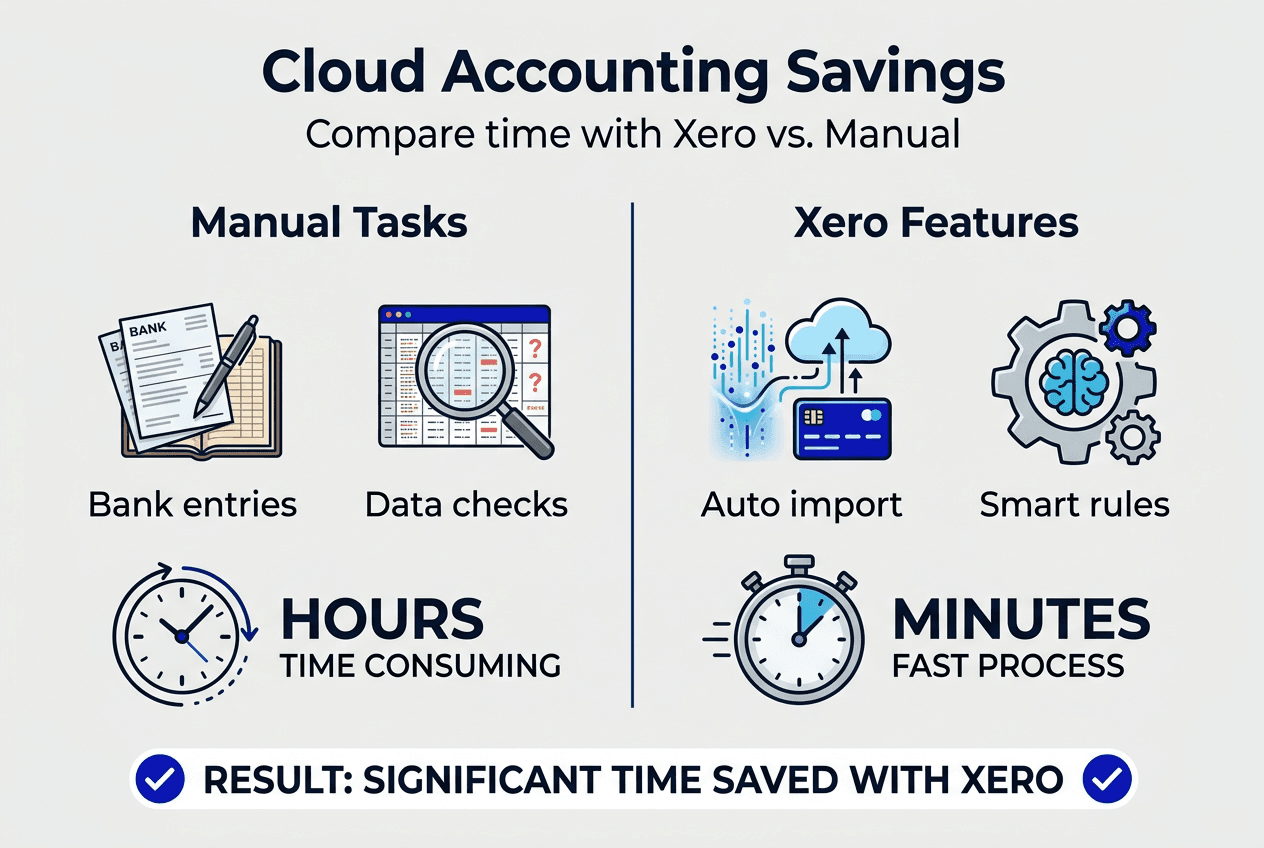
| Task | Manual Time (Monthly) | Xero Automated Time | Time Saved | Efficiency Gain |
|---|---|---|---|---|
| Bank reconciliation | 8 hours | 1 hour | 7 hours | 87% |
| Invoice processing | 6 hours | 45 minutes | 5.25 hours | 87% |
| Receipt management | 4 hours | 30 minutes | 3.5 hours | 87% |
| Tax calculations | 5 hours | 1 hour | 4 hours | 80% |
| Financial reporting | 3 hours | 30 minutes | 2.5 hours | 83% |
Real-world results demonstrate achievable gains. ExcluServ documented an estimated 80% time saving after implementing EzzyBills with Xero. These aren’t theoretical improvements but actual hours returned to business owners for revenue-generating activities.
Common issues emerge during early implementation. Duplicate transactions appear when manual entries overlap with automated imports. Resolve this by pausing manual entry once bank feeds activate, then reconciling any transition period overlaps. Missed approvals occur when notification settings don’t match your workflow. Adjust alert preferences to ensure critical items reach you through your preferred channels.
Optimization continues beyond initial setup. Review your bank rules quarterly, refining categories as your business evolves. Analyze which transaction types still require manual intervention, then create new rules to automate them. Update OCR app settings based on your most common receipt formats to improve extraction accuracy.
Pro Tip: Schedule monthly 15-minute workflow reviews to identify bottlenecks. Track which tasks still consume disproportionate time, then research Xero features or integrations addressing those specific pain points. Continuous refinement compounds efficiency gains, with mature implementations achieving 90% automation rates for routine transactions.
Your guide to common bookkeeping mistakes highlights verification checkpoints preventing errors from cascading. Regular validation ensures automation serves accuracy rather than merely accelerating mistakes. The goal isn’t eliminating human oversight but focusing your attention on exceptions and strategic decisions rather than routine data entry.
Explore cloud accounting solutions with Ready Accounting
Transitioning to cloud accounting transforms your financial management, but guidance accelerates success and prevents costly mistakes. Ready Accounting specializes in helping South African SMBs implement platforms like Xero efficiently. Our team understands the unique challenges facing local businesses, from SARS compliance to industry-specific workflows.
Discover comprehensive resources explaining cloud accounting benefits tailored to South African businesses. Our detailed cloud accounting guide walks you through platform selection, implementation strategies, and optimization techniques. For Xero-specific guidance, explore our Xero accounting guide covering setup, integration, and advanced features.
Professional support ensures you maximize your investment while avoiding common pitfalls. Ready Accounting provides setup assistance, training, and ongoing optimization to keep your system running efficiently as your business grows.
What is cloud-based accounting and how does it differ from traditional methods?
What is cloud-based accounting and how does it differ from traditional methods?
Cloud accounting stores your financial data on secure internet servers rather than local computers, allowing access from any device with internet connectivity. Traditional desktop software confines you to specific computers, preventing remote work or real-time collaboration. Cloud platforms update automatically with new features and tax regulations, while desktop versions require manual upgrades. The fundamental shift enables real-time financial visibility and multi-user collaboration impossible with traditional methods. Learn more about cloud accounting basics and implementation strategies.
How does Xero help save time for small business owners in South Africa?
Xero automates repetitive tasks like bank reconciliation, invoice generation, and tax calculations that traditionally consume hours weekly. Bank feeds import transactions automatically, while intelligent categorization learns your patterns to reduce manual coding. The platform integrates directly with SARS for seamless tax submissions and provisional tax management. Mobile apps let you manage finances during downtime rather than dedicating office hours to accounting. These features combine to return 15 to 25 hours monthly to business owners. Explore detailed Xero time-saving features and implementation guides.
What are common pitfalls when switching to cloud accounting and how can I avoid them?
Data migration errors top the list, occurring when historical records transfer incorrectly or incompletely. Prevent this by thoroughly reviewing opening balances and running parallel systems briefly during transition. Learning curves frustrate teams unfamiliar with cloud platforms, resolved through structured training and gradual feature adoption. Setup mistakes like incorrect tax configurations or missing bank rules reduce efficiency gains. Work with experienced implementers or follow detailed guides to configure systems properly from the start. Discover strategies for avoiding bookkeeping mistakes during transitions.
How much time can I realistically expect to save using Xero?
Most small businesses save 15 to 25 hours monthly after full Xero implementation and optimization. Initial setup requires time investment, but ongoing efficiency gains compound quickly. Businesses with high transaction volumes or complex invoicing see larger absolute savings, while simpler operations still achieve 60% to 80% time reductions on accounting tasks. Case studies document savings up to 80% for specific processes like receipt management. Your actual savings depend on current process efficiency, transaction volume, and how fully you leverage automation features.
Do I need an accountant if I use Xero?
Xero handles routine bookkeeping efficiently, but accountants provide strategic value beyond data entry. They interpret financial reports, optimize tax strategies, ensure compliance with changing regulations, and guide business decisions using financial insights. Cloud accounting makes accountant collaboration more efficient and affordable by reducing their time on data entry, allowing focus on advisory services. Many businesses find Xero reduces accounting costs while improving service quality. The platform complements professional expertise rather than replacing it, creating a powerful combination for business success.
Recommended
- 7 Cloud Accounting Benefits for Small Business Growth – Ready Accounting
- Ultimate Guide to Accounting Automation in 2025 – Ready Accounting
- QuickBooks vs Xero: Which Suits Your Business in 2025? – Ready Accounting
- Xero Accounting for South African Business Success 2025 – Ready Accounting
- 7 Productivity Hacks for Small Business Owners to Boost Results | Ibrandmedia
- Price tracking workflow 2026: Save 40% with alerts | PriceLix