
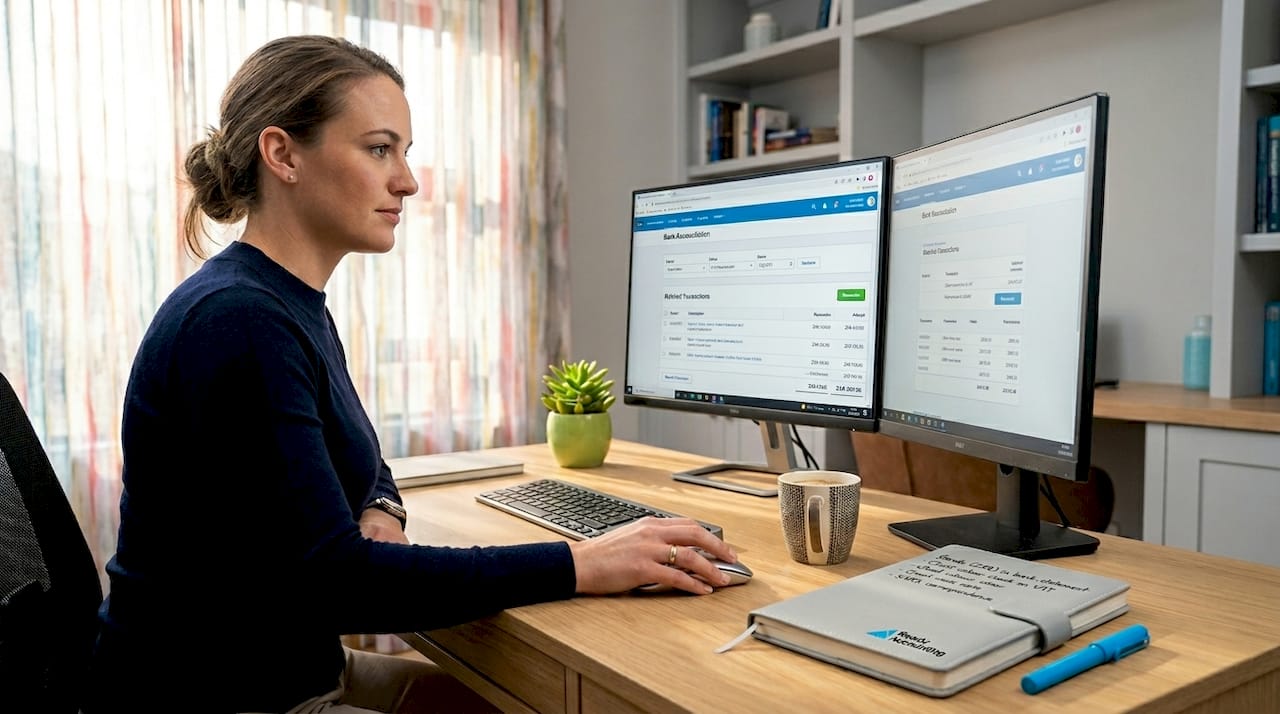
How to automate business accounting with Xero
Executive Summary
- Automating business accounting with Xero replaces manual tasks with rule-based workflows and AI-driven processes, saving SMEs time and reducing errors. Proper setup, phased implementation, and ongoing review are essential for accurate, compliant financial records, especially for South African businesses handling SARS requirements and VAT submissions. Partnering with experts like Readyaccounting helps ensure effective automation integration and long-term maintainability.
Automating business accounting with Xero means replacing manual data entry, reconciliation, and reporting tasks with rule-based workflows and AI-driven processes that run in the background while you focus on growing your business. For South African SMEs, this matters more than ever. SARS compliance requirements, VAT submissions, and the pressure to produce accurate Annual Financial Statements leave little room for error. Xero’s built-in automation tools, including JAX (its AI assistant) and automatic bank reconciliation, give small and medium business owners a practical path to cut admin time, reduce costly mistakes, and stay audit-ready without hiring a full finance team.
How to automate business accounting with Xero: what you need first
Before you touch a single automation setting, your Xero environment needs a solid foundation. Automation amplifies what is already in your system. If your chart of accounts is messy or your bank feeds are disconnected, automation will scale those problems, not solve them.
The right Xero plan matters. Xero’s Standard plan and above unlock the automation features worth using, including automatic bank reconciliation, bank rules, and access to the Xero App Store. The Starter plan is too limited for meaningful workflow automation.
Here is what your setup checklist should include before you go further:
- A live bank feed connected to each business account (Xero supports most South African banks including FNB, Standard Bank, Nedbank, and Absa)
- A clean, accurate chart of accounts aligned to your business structure and SARS reporting categories
- VAT settings configured correctly for your VAT registration status
- Contact records for your key suppliers and customers, with correct tax treatment applied
- Admin-level access so you can configure bank rules and integrations
South Africa-specific app integrations to consider from day one:
| App | What it automates | Best for |
|---|---|---|
| Yoco | Daily sales sync to Xero with mapped accounts | Retail and ecommerce businesses |
| Spread | Accruals, prepayments, and deferred revenue journals | Service businesses with recurring billing |
| ScaleXP | Month-end revenue recognition and deferred revenue | SaaS and subscription businesses |
| Simplepay or PaySpace | Payroll sync and wage expense posting | Any business with employees |
Data security is not optional. Back up your Xero data using a third-party tool like XBert or Dext before making structural changes. Bi-directional sync and audit history in your integration workflows reduce manual reconciliation and give you a recovery path if something goes wrong.
Step-by-step: setting up Xero automation for bookkeeping and reconciliation
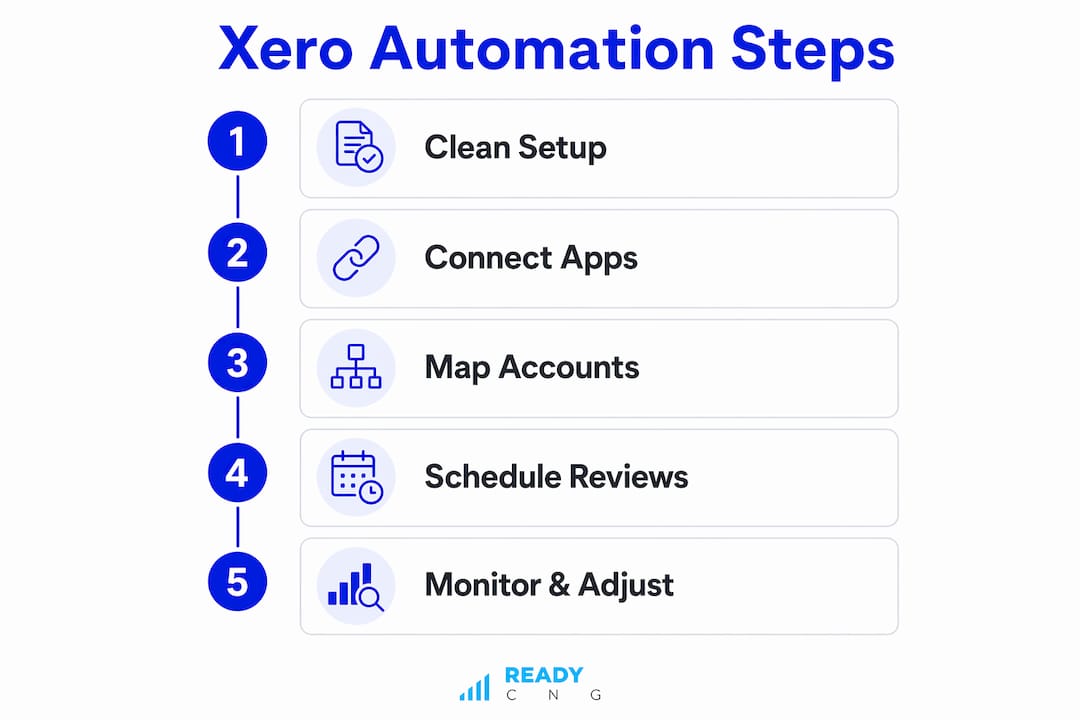
This is where the real time savings begin. Follow these steps in order and you will build a reliable, low-maintenance bookkeeping system.
-
Connect your bank feeds. Go to Accounting > Bank Accounts in Xero and connect each account. Once connected, transactions import automatically every business day.
-
Enable automatic bank reconciliation per account. Xero’s JAX AI auto-reconciles bank transactions by matching them to invoices, bills, and spend money transactions using historical data. You can review every match on the Reconciled page and override any suggestion at any time.
-
Create bank rules for recurring transactions. Go to Accounting > Bank Accounts > Manage Account > Bank Rules. Set rules for transactions that appear regularly, such as your monthly rent, software subscriptions, or SARS payment references. Rules tell Xero exactly how to categorize these entries without you touching them.
-
Use JAX for invoice creation and payment matching. JAX automates core tasks like invoicing and reconciliation in the background, learning from your historical data to improve match accuracy over time. You remain in control and can accept, edit, or reject any suggestion.
-
Set up repeating invoices and bills. For fixed monthly charges, use Xero’s Repeating Transactions feature under Accounts > Sales or Purchases. This eliminates manual invoice creation for predictable revenue and expenses.
-
Run a pilot on one bank account first. Phased implementation helps you identify and fix issues before they spread across your entire ledger. Pick your highest-volume account, run it for two weeks, and review the reconciliation accuracy before expanding.
-
Review and adjust automated entries weekly. Automation is not fully hands-off. Monitoring the Reconciled page and checking confidence levels on matched transactions keeps your books accurate and SARS-ready.
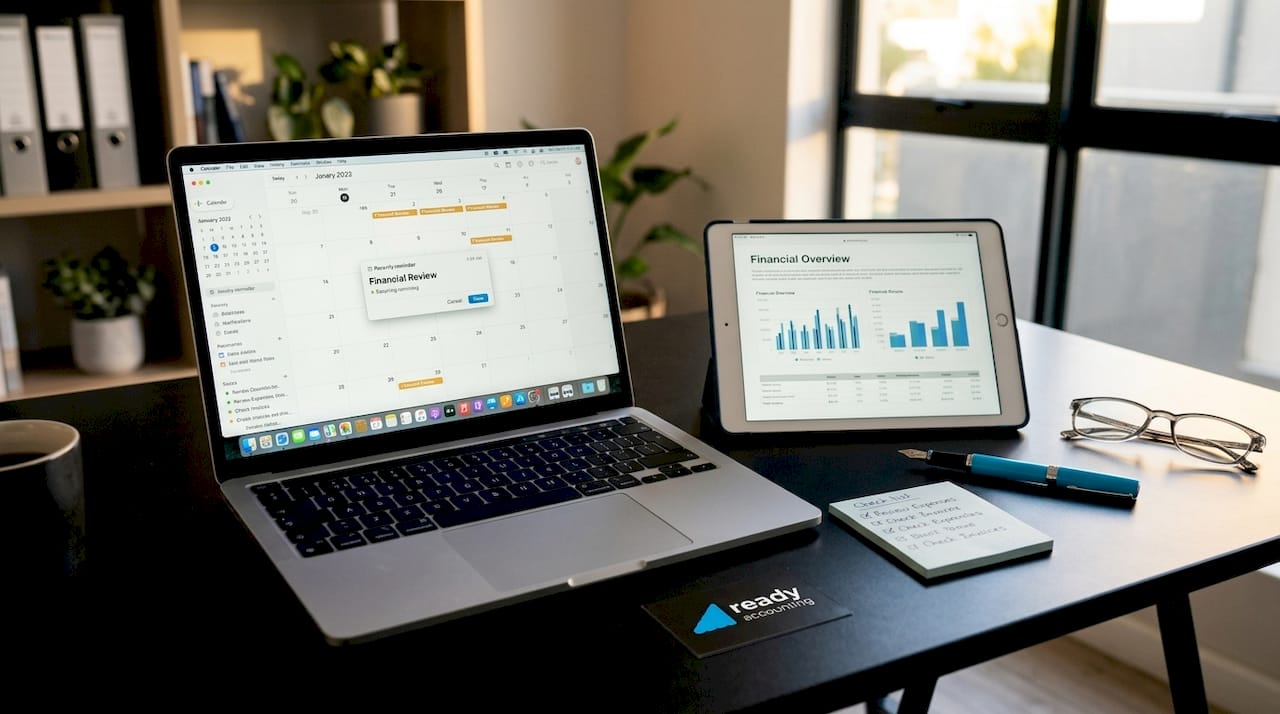
Pro Tip: Set a recurring calendar reminder every Friday to spend 15 minutes reviewing your Xero reconciliation page. Catching a mismatched transaction weekly takes seconds. Catching it at year-end during your Annual Financial Statement preparation takes hours.
Which third-party apps extend Xero automation for South African businesses?
Xero’s native features handle the basics well. For more complex accounting areas like revenue recognition, accounts payable, and payroll, you need purpose-built apps that connect directly to Xero via the App Store.
Revenue recognition and month-end automation are where most growing businesses lose hours. The Spread app automates accruals, prepayments, and deferred revenue by reading invoice attachments and creating the correct journals automatically. It connects via OAuth2 to Xero, which means no manual data exports. The key insight here: accrual and deferred revenue automations require reading invoice service period data rather than invoice dates to be accurate at month end. Spread handles this distinction automatically.
ScaleXP takes this further for subscription and SaaS businesses. It automates deferred and accrued revenue recognition and prepares month-end journals for your review in Xero, tracking changes in invoices and bills with tracking codes for accuracy.
For South African ecommerce and retail businesses, the Yoco to Xero integration is a practical win. It syncs daily sales data into Xero with mapped accounts for sales, fees, tips, and payment types. Standardizing your account mappings for payment gateways from the start produces the best automation results and eliminates the manual daily banking entries that eat up bookkeeper time.
Accounts payable automation removes the most error-prone manual process in most SME finance functions. Xero’s AP automation captures invoice details, routes approvals, and processes payments digitally, replacing the paper-based or email-based approval chains that cause duplicate payments and missed due dates.
Payroll integration closes the loop on expense automation. Connecting a payroll app like Simplepay or PaySpace to Xero means wage and tax expenses sync instantly after each pay run. Test runs with your payroll app before going live confirm that rules work correctly and that PAYE and UIF postings land in the right accounts.
What are the common challenges when automating Xero accounting?
Automation does not eliminate the need for judgment. It shifts your role from data capturer to reviewer. Here is what catches most South African SMEs off guard:
- Incorrect account mappings are the most common source of errors. If your Yoco integration maps card fees to the wrong expense account, every daily sync creates a wrong entry. Fix mapping errors during your pilot phase before they compound.
- Low-confidence reconciliation matches need human review. JAX flags transactions it is less certain about. Ignoring these flags and accepting all suggestions blindly leads to misallocated transactions that distort your VAT returns.
- Chart of accounts drift happens when new accounts are added without updating automation rules. A new bank account or a new expense category that is not mapped in your rules will create unreconciled items.
- SARS VAT compliance gaps emerge when tax codes are applied inconsistently. Every automated transaction must carry the correct VAT code (standard rated, zero rated, or exempt) or your VAT201 return will not balance.
Pro Tip: After any integration update or Xero plan change, run a manual reconciliation check on three random transactions to confirm that automation rules still apply correctly. Integration updates occasionally reset custom mappings.
Accurate chart of accounts and mapping rules are the single most important factor in avoiding recurring errors across automated syncs. Get these right once and maintain them consistently.
Best practices to keep your Xero automation running well
A well-configured Xero automation setup does not maintain itself. These practices keep it accurate, compliant, and aligned with your business as it grows.
- Review and update bank rules quarterly. Supplier names change, new recurring expenses appear, and old rules become irrelevant. A quarterly rules audit takes 30 minutes and prevents months of misallocated transactions.
- Collaborate with your bookkeeper or accountant during setup and reviews. Automation handles volume. Your accountant handles judgment. The two work best together, not as replacements for each other. A SAIPA or SAICA-registered accountant who knows Xero will spot configuration issues that automated systems cannot flag.
- Use Xero’s reports for proactive financial management. The Profit and Loss, Balance Sheet, and Cash Summary reports in Xero update in real time as transactions are reconciled. Schedule a monthly review of these reports rather than waiting for your accountant to send a quarterly pack.
- Schedule a bi-annual audit of automated transactions. Pull a sample of 20 to 30 automated entries every six months and verify that account codes, VAT treatment, and contact assignments are correct. This is your quality control layer.
- Stay current with Xero feature releases and SARS changes. Xero releases updates regularly, and SARS periodically adjusts VAT and tax reporting requirements. Subscribe to the Xero blog and SARS eFiling notifications so you are never caught off guard by a compliance change that affects your automation setup.
For a broader view of how cloud accounting saves time beyond reconciliation, the efficiency gains compound quickly once your full workflow is automated.
Key takeaways
Automating business accounting with Xero requires a clean setup, phased implementation, and ongoing review to deliver accurate, SARS-compliant financial records for South African SMEs.
| Point | Details |
|---|---|
| Start with a clean foundation | Fix your chart of accounts and bank feeds before enabling any automation rules. |
| Use phased implementation | Pilot on one bank account first to catch mapping errors before they scale. |
| Extend with purpose-built apps | Spread, ScaleXP, and Yoco add automation for revenue recognition and sales syncing. |
| Review automation weekly | JAX and bank rules require human oversight to maintain accuracy and VAT compliance. |
| Collaborate with your accountant | Automation handles volume; a SAIPA or SAICA accountant handles judgment and compliance. |
Why phased automation beats the big-bang approach every time
I have worked with dozens of South African SMEs who tried to automate everything at once. The result is almost always the same: a flood of mismatched transactions, a panicked call two weeks before VAT submission, and a cleanup project that costs more time than the manual process ever did.
The businesses that get automation right treat it as a series of deliberate steps, not a single switch to flip. They start with bank reconciliation on one account, get comfortable with how JAX works, then layer in bank rules, then connect their first integration. By the time they are running Spread for accruals and ScaleXP for revenue recognition, they understand their data well enough to catch the edge cases that automation misses.
The other thing I want to push back on is the idea that AI replaces your accountant. JAX is genuinely impressive at pattern recognition and transaction matching. But it does not know that your largest client pays late every quarter, or that a specific expense line needs to be split between two cost centres for SARS purposes. That context lives with your accountant. The best setups I have seen treat JAX as a capable assistant and the accountant as the decision-maker. That combination is where the real efficiency gains appear.
For South African SMEs specifically, the compliance angle matters more than most automation guides acknowledge. Getting your VAT codes right inside Xero is not a nice-to-have. It is the difference between a clean VAT201 submission and a SARS audit trigger. Build that discipline into your automation from day one and you will not regret it.
— Johan
Let Readyaccounting build your Xero automation system
Readyaccounting specializes in Xero automation for South African SMEs, from initial setup and chart of accounts design to full integration with apps like Spread, ScaleXP, and Yoco. We configure your automation rules, connect your bank feeds, and make sure your VAT and SARS reporting is accurate from day one. If you want to know how automated workflows directly affect your cash position, our guide on how automation improves cash flow explains the mechanics in plain terms. Contact Readyaccounting to get a tailored automation assessment for your business.
FAQ
What Xero plan do I need to automate bookkeeping in South Africa?
Xero’s Standard plan or above is required to access automatic bank reconciliation, bank rules, and the full Xero App Store. The Starter plan does not support the automation features that make a meaningful difference for South African SMEs.
How does JAX handle bank reconciliation automatically?
JAX uses historical transaction data to match bank entries to invoices, bills, and spend money records with high confidence. You review matches on the Reconciled page and can accept, edit, or override any suggestion at any time.
Which apps work best with Xero for South African businesses?
Spread handles accruals and deferred revenue, ScaleXP automates revenue recognition for subscription businesses, and Yoco syncs daily sales data for retail and ecommerce. Simplepay and PaySpace connect payroll to Xero for automated wage and tax expense posting.
How do I keep my VAT submissions accurate with Xero automation?
Apply the correct VAT code (standard rated, zero rated, or exempt) to every automated transaction rule and integration mapping. Review a sample of automated entries monthly to confirm VAT treatment is consistent before submitting your VAT201 to SARS.
How long does it take to set up Xero automation for a small business?
A basic setup covering bank feeds, bank rules, and automatic reconciliation takes one to two weeks for a small business with clean records. Adding third-party integrations like Spread or Yoco adds another one to two weeks per integration, depending on data complexity.