

BAS statement explained: what South African SMEs need to know
No, there is no “BAS statement” for private South African businesses. If you searched for this term, you have likely stumbled across Australian tax guidance that does not apply here. What you actually need is your Statement of Account (SOA) from SARS, and you can pull it right now in under 15 minutes.
Here are three things you can do immediately:
- Log into SARS eFiling and request your Statement of Account (SOA) or Income Tax Statement of Account (ITSA) to see your current balance, penalties, and interest.
- Check your Tax Compliance Status (TCS) on eFiling under the “Tax Status” menu to confirm you are compliant.
- Contact a SARS-registered tax practitioner if your SOA shows an unexpected balance or penalty, and bring documentation to that call.
Pro Tip: Before you contact anyone, take dated screenshots of your SOA and TCS screen, then export the SOA as a PDF. A tax practitioner can act much faster when you arrive with that evidence already in hand.
Table of Contents
- What does “BAS” actually mean in South Africa?
- Why do people search for “BAS”? The Australian confusion explained
- Which SARS documents show your tax balance?
- How to check your tax position on SARS eFiling and MobiApp
- Which returns keep your business compliant?
- What to do if your SOA shows unpaid liabilities or penalties
- Key takeaways
- Why the “BAS confusion” costs South African owners more than they realise
- How Readyaccounting helps South African SMEs stay compliant
- Useful sources and where to read more
What does “BAS” actually mean in South Africa?
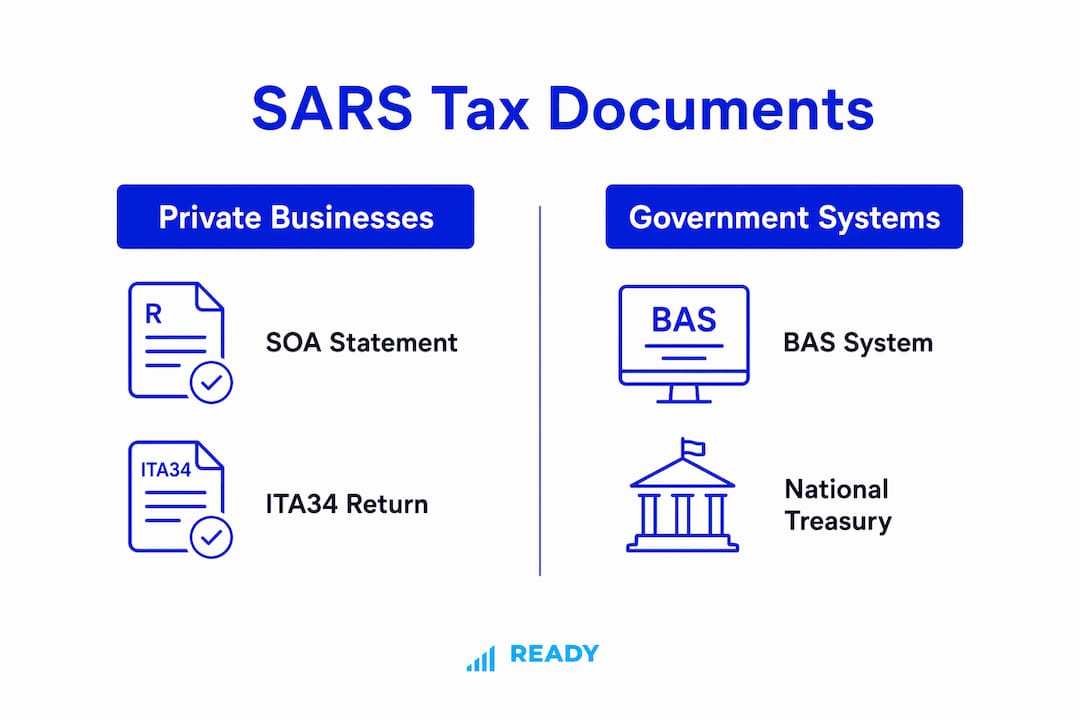
In South Africa, BAS stands for Basic Accounting System, a transversal financial system used exclusively by national and provincial government departments. It is mandated under the Public Finance Management Act (PFMA) and is one of three core government financial platforms managed by National Treasury. BAS is used by almost all national and provincial departments for budget management and financial reporting.
Private businesses do not receive a BAS statement. Full stop. Your tax position lives in SARS documents, not in any government accounting platform.
The system is tightly regulated. In May 2025, National Treasury issued a circular addressing post-implementation problems encountered during the transition to BAS V6, covering performance, integration, and reporting issues. That is the world BAS lives in: government departments, CFOs of provincial treasuries, and PFMA compliance officers. Not your Pty Ltd.
The confusion usually starts when a business owner types “BAS statement” into Google after seeing a reference in an Australian accounting forum or a YouTube video aimed at Australian sole traders.
Why do people search for “BAS”? The Australian confusion explained
Australia uses a Business Activity Statement (BAS) to report GST (their equivalent of VAT), PAYG withholding, and other obligations to the Australian Taxation Office. It is a quarterly or monthly return that Australian businesses know well. South Africa has no equivalent document by that name.
| Term | Country | What it covers | Who uses it |
|---|---|---|---|
| Business Activity Statement (BAS) | Australia | GST, PAYG withholding, FBT instalments | All registered Australian businesses |
| Basic Accounting System (BAS) | South Africa | Government budget management and financial reporting | National and provincial government departments only |
If you found Australian instructions online, the practical mapping is straightforward: ignore every jurisdictional step and replace it with the SARS equivalent. Australian GST reporting maps to your VAT201 return. Australian income tax maps to your ITR14. Their BAS portal maps to SARS eFiling. SARS small-business materials note that business owners frequently search using other jurisdictions’ terms, and the practical advice is always the same: focus on your Tax Compliance Status and the correct SARS documents.
Which SARS documents show your tax balance?
Three documents matter here, and they serve different purposes.
| Document | What it shows | Time coverage | How to request |
|---|---|---|---|
| Statement of Account (SOA) / ITSA | Cumulative balance, penalties, interest, transaction history | All years to date | eFiling, SARS MobiApp, SMS, Contact Centre |
| Notice of Assessment (ITA34) | Single tax year assessment result | One year only | eFiling (auto-issued after return processing) |
| Provisional Tax SOA (PROVSOA) | Provisional tax account balance | Provisional periods | eFiling, Contact Centre (0800 00 7277), SARS branch |
The SOA and ITA34 serve distinct purposes: the ITA34 reflects a single tax year’s assessment, while the SOA reflects your overall cumulative position up to the date of issue. When a tax practitioner asks “what do you owe SARS?”, they want the SOA, not the ITA34.
Pro Tip: Unpaid historical penalties from prior years do not appear on an ITA34. They accumulate on the SOA. Always use the SOA when you are trying to understand your full liability.
How to check your tax position on SARS eFiling and MobiApp
The fastest route is SARS eFiling. Here is the sequence:
- Go to sars.gov.za and log into your eFiling profile.
- Click the Statement of Account icon at the top right of your screen to open the ITSA.
- Review the balance, check for penalty and interest lines, and note the period coverage.
- Navigate to “Tax Status” and open your Tax Compliance Status (TCS) to confirm it is active and green.
- Export both documents as PDFs and save them with the date in the filename.
If you are not yet registered on eFiling, you can register on SARS eFiling in a few steps before running this check.
For users who prefer the MobiApp, SARS recommends requesting the Statement of Account via the app or by SMS. The Contact Centre at 0800 00 SARS (7277) can also pull your SOA if you have your tax reference number ready.
When reviewing your SOA, check these fields specifically: outstanding balance, individual penalty entries, interest charges, the period each line covers, and any payment reference numbers for amounts already paid.
Pro Tip: Keep a one-page reconciliation log that lists each SOA line item against your own records. That single document cuts the back-and-forth with a tax practitioner in half.

Which returns keep your business compliant?
Missing a return is how most SOA problems start. These are the filings that matter for South African SMEs:
| Return | Who it applies to | Frequency | What happens if you miss it |
|---|---|---|---|
| VAT201 | VAT-registered vendors | Monthly or bi-monthly | Penalties and interest from due date |
| ITR14 | All registered companies (Pty Ltd, CC) | Annual | Penalties; SARS may raise an estimated assessment |
| EMP201 | Employers with staff on payroll | Monthly | PAYE penalties; TCS affected |
| IRP6 (Provisional Tax) | Provisional taxpayers | Twice yearly (August and February) | Underestimation penalties |
The SARS small-business guide covers registration, filing, and payment obligations, and also notes relief measures such as Turnover Tax for qualifying micro-businesses and Small Business Corporation (SBC) tax rates. If your annual turnover is below R1 million and you qualify, Turnover Tax simplifies your filing significantly. Consult a tax practitioner to confirm eligibility.
For VAT filing specifics, the SARS VAT201 completion guide walks through every field and payment instruction. Common payroll errors on EMP201 submissions are a frequent cause of TCS failures, so it is worth reviewing your payroll process separately.
What to do if your SOA shows unpaid liabilities or penalties
Finding a balance on your SOA is not a crisis. It is information. Here is a practical sequence:
- Reconcile your books to the SOA within 1–7 days. Match every line on the SOA to your bank statements, VAT ledger, and payroll reports.
- Identify disputed items. If a penalty looks wrong, note the period and the amount before you contact SARS.
- Prepare your evidence packet: bank statements, VAT ledgers, payroll reports, and any prior correspondence with SARS.
- Open a SARS case via eFiling or the Contact Centre. Reference your tax number and the specific period in dispute.
- Request a payment arrangement if the liability is confirmed and you cannot settle it immediately. SARS does grant these for compliant taxpayers who engage proactively.
- Appoint a SARS-registered tax practitioner if the amount is material, the dispute is complex, or SARS has issued a final demand.
A realistic timeline: reconciliation takes 1–7 days, SARS initial response typically follows within 1–3 weeks, and a payment arrangement or finalisation usually lands within 2–8 weeks depending on complexity. Engaging early shortens every stage. You can also review how to avoid tax penalties to understand what preventative steps reduce the risk of this happening again.
Readyaccounting acts as a Fractional CFO and tax defence partner for SMEs in exactly this situation, handling SOA reconciliation, SARS case management, and payment arrangement negotiations.
Key takeaways
South African private businesses have no BAS statement; the correct documents are the SOA and ITA34 from SARS, and your Tax Compliance Status on eFiling is the single most important indicator of your standing.
| Point | Details |
|---|---|
| No BAS for private businesses | BAS is a government accounting system; private businesses use SARS SOA and ITA34 instead. |
| SOA vs ITA34 | The SOA shows your cumulative balance across all years; the ITA34 covers one tax year only. |
| TCS is your compliance signal | Check Tax Compliance Status on SARS eFiling to confirm your business is in good standing. |
| File these returns on time | VAT201, ITR14, EMP201, and IRP6 are the core filings; missing any one affects your TCS. |
| Readyaccounting can help | Readyaccounting provides SOA reconciliation, tax defence, and Fractional CFO services for South African SMEs. |
Why the “BAS confusion” costs South African owners more than they realise
The real problem is not that business owners search for the wrong term. It is that the confusion delays action. An owner who spends two weeks trying to understand an Australian BAS process is an owner who has not yet downloaded their SOA, has not checked their TCS, and has not caught the penalty that has been compounding since last quarter.
South African tax compliance is genuinely manageable when you know which documents to look at. The SOA is not complicated. eFiling is not complicated. What makes it hard is starting from the wrong frame of reference, and that is exactly what cross-jurisdiction content does to local business owners.
The SARS compliance checklist is a useful starting point for owners who want a structured view of their obligations. Pair it with a tax compliance guide and you have a clear picture of where you stand. The owners who avoid penalties are not the ones with the most complex systems. They are the ones who check their SOA regularly and file on time.
How Readyaccounting helps South African SMEs stay compliant
Readyaccounting is a done-for-you tax compliance and financial automation firm built specifically for South African SMEs and VC-backed startups. Where a traditional accountant files your returns and waits for problems to surface, Readyaccounting acts as your Fractional CFO: reconciling your SOA proactively, flagging SARS triggers before they become penalties, and managing tax defence when SARS does come knocking.
Services include SOA reconciliation, VAT201 and EMP201 clean-up, payroll compliance, annual financial statements, and cloud accounting automation that keeps your ledger in sync with your SARS obligations in real time. The team works with SAICA and SAIPA-aligned standards, giving you the professional trust signals that matter when SARS asks questions.
If your SOA showed something unexpected today, the right next step is a short diagnostic call. Book your compliance review with Readyaccounting and get a clear picture of where you stand within 48 hours.
This article provides general information about South African tax compliance and is not a substitute for professional advice. Confirm your specific obligations with a SARS-registered tax practitioner or contact SARS directly.
Useful sources and where to read more
- SARS: What is the difference between the ITA34 and the SOA? — The primary SARS FAQ explaining when to use each document and how to request them.
- SARS: Statement of Account (ITSA) FAQ — Step-by-step guide to finding your ITSA balance on eFiling.
- SARS: Provisional Tax SOA — How to request a Provisional Tax Statement of Account via eFiling, Contact Centre, or branch.
- SARS Small Business Leaflet — Covers registration, filing obligations, Turnover Tax, and SBC incentives for small businesses.
- SARS VAT201 Completion Guide — Field-by-field instructions for completing and submitting your VAT return.
- National Treasury: BAS V6 Post-Implementation Circular — Official context for the public-sector Basic Accounting System and its PFMA mandate.
- What is BAS in South Africa (Financeband) — Plain-language explanation of why BAS is a government-only system in South Africa.
For interpretation and action on any of the above, consult a SARS-registered tax practitioner who can apply these documents to your specific business situation.